Troubleshooting problems with an RG - 58 cable can be a challenging yet essential task for anyone working with coaxial cables. As an RG - 58 cable supplier, I've encountered various issues and have learned effective ways to diagnose and resolve them. In this blog, I'll share some valuable insights on how to troubleshoot problems with an RG - 58 cable.
Understanding the RG - 58 Cable
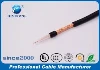
Before delving into troubleshooting, it's crucial to understand the RG - 58 cable. RG - 58 is a type of coaxial cable commonly used in radio frequency (RF) applications, such as amateur radio, networking, and surveillance systems. It consists of a central conductor, an insulating layer, a metallic shield, and an outer jacket. The characteristic impedance of an RG - 58 cable is typically 50 ohms.
Common Problems and Troubleshooting Steps
1. Signal Loss
One of the most common problems with RG - 58 cables is signal loss. Signal loss can occur due to several reasons, including cable length, cable quality, and connector issues.
- Check Cable Length: RG - 58 cables have a limited distance over which they can transmit signals effectively. As the cable length increases, the signal strength decreases. If you're experiencing significant signal loss, check the length of the cable. If it's too long, consider using a shorter cable or a signal amplifier.
- Inspect Cable Quality: Low - quality cables can also cause signal loss. Look for signs of damage, such as cuts, kinks, or frayed insulation. A damaged cable can disrupt the signal and lead to loss. If you find any damage, replace the cable with a new one.
- Examine Connectors: Loose or poorly installed connectors can cause signal loss. Make sure the connectors are properly tightened and that there are no signs of corrosion. If the connectors are damaged, replace them with high - quality connectors.
2. Interference
Interference can disrupt the signal in an RG - 58 cable. It can be caused by external sources, such as electrical equipment, radio waves, or other cables.
- Identify the Source of Interference: Look for nearby electrical equipment or other cables that may be causing interference. Move the RG - 58 cable away from these sources or use shielding to reduce the interference.
- Check the Shielding: The metallic shield in an RG - 58 cable is designed to protect the signal from interference. Make sure the shield is intact and properly grounded. If the shield is damaged, it may not be able to provide adequate protection.
- Use Ferrite Beads: Ferrite beads can be used to reduce electromagnetic interference (EMI). Place ferrite beads on the cable near the connectors to suppress EMI.
3. Connector Issues
Connectors play a crucial role in the performance of an RG - 58 cable. Poorly installed or damaged connectors can cause a variety of problems, including signal loss and interference.
- Inspect the Connectors: Check the connectors for signs of damage, such as bent pins, loose connections, or corrosion. If you find any damage, replace the connectors.
- Proper Installation: Make sure the connectors are installed correctly. Follow the manufacturer's instructions for installing the connectors. Incorrect installation can lead to poor performance and signal issues.
- Test the Connectors: Use a cable tester to test the connectors. A cable tester can detect issues such as open circuits, short circuits, and impedance mismatches.
4. Impedance Mismatch
Impedance mismatch occurs when the impedance of the cable does not match the impedance of the equipment it is connected to. This can cause signal reflections and loss.
- Check the Impedance: Make sure the impedance of the RG - 58 cable matches the impedance of the equipment. Most RG - 58 cables have a characteristic impedance of 50 ohms. Check the specifications of the equipment to ensure compatibility.
- Use Impedance - Matching Devices: If there is an impedance mismatch, you can use impedance - matching devices, such as baluns or transformers, to match the impedance of the cable and the equipment.
Tools for Troubleshooting
To effectively troubleshoot problems with an RG - 58 cable, you'll need some essential tools.


- Cable Tester: A cable tester is a must - have tool for troubleshooting. It can detect issues such as open circuits, short circuits, and impedance mismatches.
- Multimeter: A multimeter can be used to measure the resistance, voltage, and continuity of the cable. It can help you identify problems such as damaged conductors or connectors.
- Spectrum Analyzer: A spectrum analyzer can be used to analyze the frequency spectrum of the signal. It can help you identify sources of interference and determine the quality of the signal.
Other Coaxial Cables and Their Applications
In addition to RG - 58 cables, there are other types of coaxial cables available, each with its own characteristics and applications.
- RG174U Coaxial Cable: This cable is thinner and more flexible than RG - 58. It is commonly used in applications where space is limited, such as in mobile devices and small electronic equipment.
- 9D - FB Foam PE Insulated Coaxial Cable: This cable has a foam polyethylene insulation, which provides better electrical performance and lower signal loss compared to RG - 58. It is often used in high - frequency applications, such as satellite communication and microwave systems.
- RG10 Coaxial Cable: This cable is thicker and has a higher power - handling capacity than RG - 58. It is commonly used in high - power RF applications, such as radio transmitters and antenna systems.
Conclusion
Troubleshooting problems with an RG - 58 cable requires a systematic approach and the right tools. By understanding the common problems, using the appropriate troubleshooting steps, and having the necessary tools, you can effectively diagnose and resolve issues with your RG - 58 cable.
If you're experiencing problems with your RG - 58 cable or are looking for high - quality coaxial cables, feel free to contact us for more information. We're here to help you find the best solutions for your needs.
References
- Coaxial Cable Handbook, various editions
- RF Engineering Principles, multiple publications
- Manufacturer's specifications for RG - 58, RG174U, 9D - FB, and RG10 coaxial cables