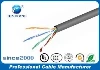
Hey there! As a Cat5e cable supplier, I often get asked if Cat5e cable can support multiple devices simultaneously. Well, let's dive right into it.
First off, what is Cat5e cable? Cat5e, short for Category 5e, is a type of Ethernet cable that's been around for quite a while. It's an improved version of the original Cat5 cable, offering better performance and less crosstalk. Crosstalk is basically interference between different wires in the cable, and Cat5e does a great job of minimizing it.
Now, can it support multiple devices at the same time? The answer is a big yes! Cat5e cables are designed to handle multiple devices simultaneously. You can use them to connect a whole bunch of devices in your home or office network. For example, you can connect your desktop computer, laptop, gaming console, smart TV, and even some smart home devices all at once.
How does it work? Well, Cat5e cables use a technology called Ethernet networking. Ethernet is a standard way of connecting devices in a local area network (LAN). When you connect multiple devices to a Cat5e cable through a network switch or a router, the cable acts as a pathway for data to flow between these devices.
Let's say you have a home network with a router and several devices. The router is connected to the internet, and the Cat5e cables connect the router to your devices. When you open a website on your laptop, the data travels from the website's server through the internet, into your router, and then through the Cat5e cable to your laptop. At the same time, if your smart TV is streaming a movie, the data for that movie is also traveling through the same Cat5e cable network, but in a different "lane" so to speak.
However, there are some limitations. Cat5e cables have a maximum bandwidth of 1 Gigabit per second (Gbps). That means if you have a lot of devices all using a large amount of data at the same time, you might start to notice some slowdowns. For example, if you're streaming 4K video on your TV, playing an online game on your console, and downloading a large file on your computer all at once, the network might get congested.
If you need higher speeds and more bandwidth, you might want to consider upgrading to a higher category cable like the 250MHz 305m CAT6 Communication Cable. CAT6 cables can support up to 10 Gbps of bandwidth, which is much faster than Cat5e. But for most home and small office networks, Cat5e is more than enough.
Another thing to keep in mind is the length of the cable. Cat5e cables are recommended to be no longer than 100 meters (about 328 feet). If you need to run a cable longer than that, you might experience signal loss and slower speeds.
Now, let's talk about some other applications of Cat5e cables. Besides connecting computers and other devices in a network, Cat5e cables can also be used for things like security cameras. Many security camera systems use Cat5e cables to transmit video and power to the cameras. This is because Cat5e cables can carry both data and power over a single cable, which makes installation much easier.
You can also use Cat5e cables for telephone systems. In fact, many older telephone systems still use Cat5e cables to connect phones to the network. And if you're into industrial automation, Cat5e cables can be used in conjunction with protocols like RS485 for communication between different industrial devices.
So, to sum it up, Cat5e cables are a great option for supporting multiple devices simultaneously in most home and small office networks. They're reliable, affordable, and easy to install. But if you need higher speeds or longer cable runs, you might want to look into other options.
If you're interested in purchasing Cat5e cables or any other networking cables, feel free to reach out for a purchase negotiation. We offer high - quality CAT5 Network Cable at competitive prices. Whether you're setting up a new network or upgrading an existing one, we've got you covered.


References:
- Ethernet networking standards documentation
- Cat5e cable technical specifications